

Disavowing links is one of the SEO topics with the widest range of opinions: Which links should you disavow? Does it actually help? What does Google say about it?..
This is where the famous “it depends” comes in, because each case needs to be analysed so you don’t disavow links without any criteria and end up doing more harm than good.
In this article we’ll explain when and how to disavow links logically, so you know how to make the right decisions in your SEO strategy.
What does Google say about disavowing links?
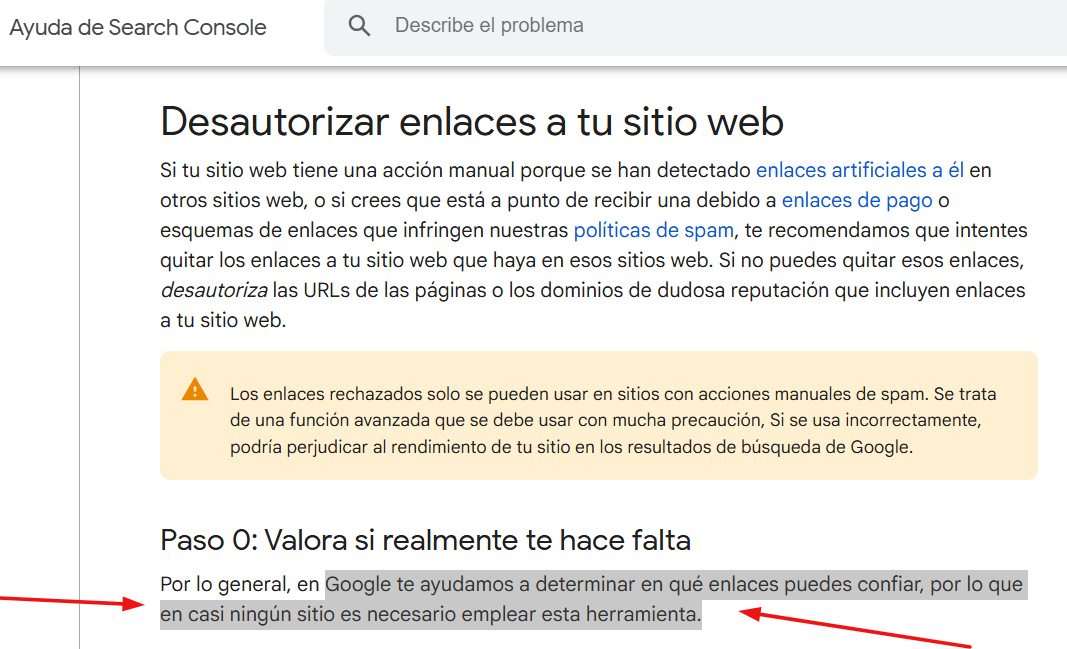
Although Google says it ignores and filters out this kind of toxic links or spam and that disavowing isn’t necessary, it also says you should only disavow if you have a large number of low-quality links and if you’ve received a manual action.
Google says:
In general, Google helps you determine which links you can trust, so almost no site needs to use this tool.
Google is a bit like certain politicians, and also like an ex-boyfriend of mine: it says one thing and then does the opposite (humourless laugh). So, from my own experience, I recommend analysing each specific case before disavowing.
How to disavow links?
Disavowing a link means telling Google to ignore certain backlinks pointing to your website. They don’t disappear, but you are telling it: “I have no control over this link and I don’t want you to take it into account, so that it doesn’t affect my SEO rankings”.
The link disavow tool can be a good option for avoiding penalties. But be careful and don’t remove links without analysing them, as some tools flag links as toxic when they aren’t.
Only disavow if you detect a real risk of a drop in traffic and a loss of SEO rankings.
Disavowing links with the Google Disavow Links Tool
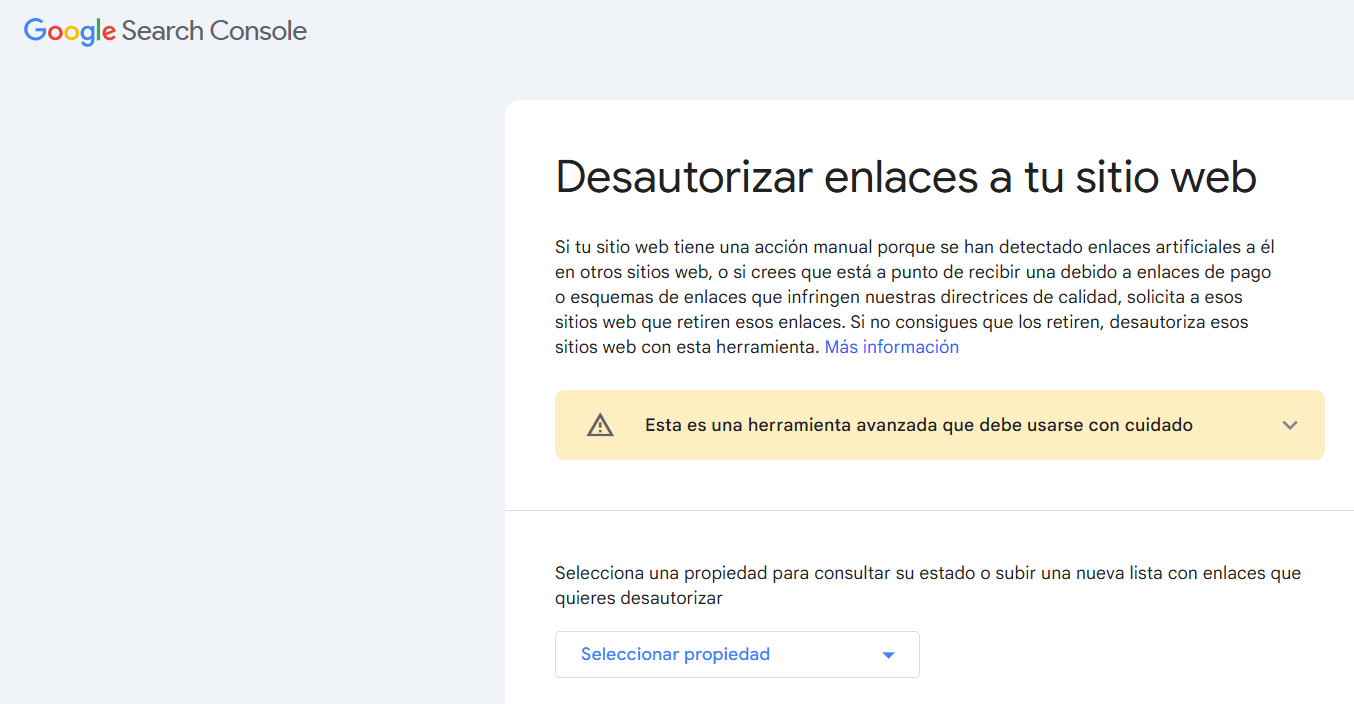
The Disavow Tool is an advanced Google tool that lets you indicate which external links you don’t want to be taken into account when your website is evaluated. The steps for using it are:
Go to Google Search Console
Log in to Search Console and go to your website’s property, in the “Links”, “External links” section.
Download the links
Click on “Export external links” and download the file in Excel or CSV format.
Sort and filter the links
Analyse the domains pointing to your website and keep only the ones you want to reject; remove from the file those you consider trustworthy, quality backlinks.
Focus on the referring domains, not on individual links. The source website matters more to you than each URL.
To identify junk links, you can look for:
- Domains with zero organic traffic and no content.
- Spammy domain extensions (.xyz, .loan, .click, etc.)
- Blog comments, forum spam,..
Create a disavow list in a .txt file
In a text editor, create a list of URLs or domains (one per line) using UTF-8 encoding, for example:
For URLs: https://spam.example.com/
For entire domains: domain:spam.example.com (if you want to disavow all links coming from a domain).
The file cannot have more than 100,000 lines (including blank lines and comment lines) and must not be larger than 2 MB.
You can include comments by putting the # sign at the start of the line to note why you want to disavow (this is just for you, because Google doesn’t read it when you use the # sign).
Upload your list to the tool
Go to the link disavow tool and select the correct property. Then upload the text file (.txt) containing the links or domains you want to disavow in the right format, and Google will process the request over several weeks.
You won’t receive direct confirmation, but over time your link profile may improve and you can avoid penalties.
When should you disavow links?
Disavowing may be necessary in these cases, although Google usually ignores these links:
– If you’ve received a manual action from Google, you’ll get a notification in Search Console.
A manual action is a penalty imposed by Google’s human reviewers when a website breaches the webmaster guidelines.
If Google has penalised you for having “unnatural links”, disavowing is practically the only step to start fixing the situation, together with a prior clean-up.
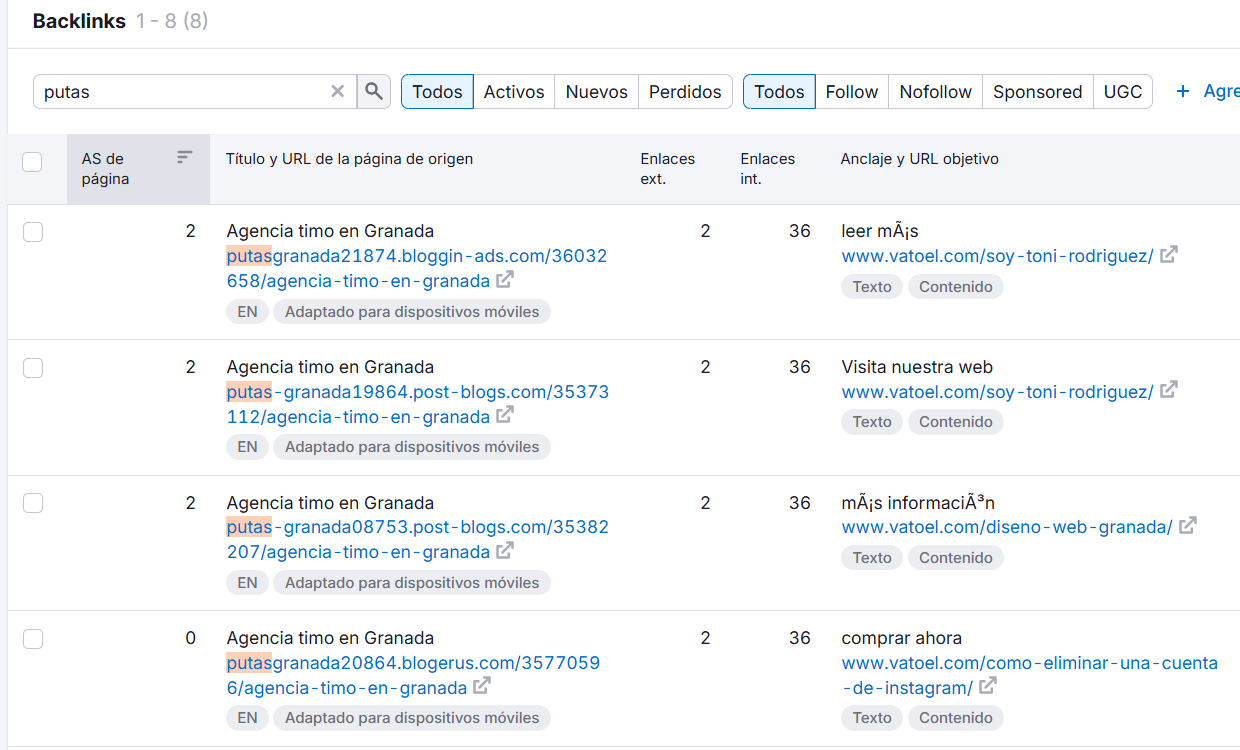
– If your site has an inherited toxic link profile, that is, you’ve bought an expired domain with very low-quality backlinks. If you can’t remove them one by one, the most effective thing is to disavow them.
– If your site has suffered a negative SEO attack, you’ll notice a drop in traffic. Review the links and check that they really are harmful links (put there by someone who loves you very much)
When shouldn’t you disavow links?
You shouldn’t disavow every suspicious link: if it isn’t harming your rankings, it’s better to leave it. Some examples are:
Links coming from domains with low authority (a low DR doesn’t mean it’s bad).
They are nofollow links (Google no longer counts them for rankings, although there is debate here too).
Your site has links in an unusual language (not yours): they add nothing in SEO terms, but they don’t do any harm either.
Removing links or disavowing: which is better for SEO?
Well, if you have the chance to remove them whenever it’s within your reach, so much the better, because disavowing only strips the link of its SEO value without removing it.
For example, you can send an email to the webmaster of the site linking to you, as long as it’s a real person you can contact, asking them to remove it.
And use disavow when the link comes from a site that no longer exists.
Recommendations for disavowing links
What you should always do is review your website’s link profile, as well as check whether junk has crept in, so you can monitor your backlinks and avoid redirects. And also to make sure they don’t get deleted. How many times, after you buy a link, have you found that it’s gone? That’s exactly why you should schedule regular reviews and verify everything.
This will help you make decisions based on real data and not act without a logical strategy. You can use SEO tools for analysis and monitoring.
On the other hand, if you work with clients who have already disavowed links, review the disavow file before uploading a new file, so you can merge them and avoid going round in circles.
Use comment lines in the file, with the # symbol, as a reminder so you have a record of why you requested the disavowal.
For example:
# Spam links from old directories domain:marketingyseo.biz
And finally, always remember that disavowing will let you keep a clean link profile, build trust and avoid possible penalties. Careful, it doesn’t replace link building! But it can give you a competitive edge over your rivals.
And now that the ugly links are gone, you can create a link building campaign. So request a quote and start improving your website’s SEO rankings.
Request a quote for your backlink strategy
Shall we talk about your project?
Tell us what you need (full name, email, website, message) and we'll get back to you within 24 hours.
Send