


Link building is an off-page SEO strategy that involves earning quality links from other websites to your own, with the aim of improving the authority of your domain and your SEO. It is essential for any website that wants its business to rank in search results.
Growwer is a useful tool for automating link building and online reputation.
In this guide we will look at how it works, its pros and cons, and its pricing:
What Growwer is and how it can help your business
Growwer is a "media campaigns", online reputation and link building tool used to promote your company on blogs and newspapers and make your business known to potential customers.
The developers of this tool are the same people behind the marketing and SEO agency iSocialWeb, which provides an extra guarantee thanks to their extensive experience in the sector.
Quality media
One of Growwer's main features is that it offers quality media. They have expanded their media database, with more than 33,841 available.
Through quality link building, your website gains authority, which Google values as one of the SEO factors to rank your site at the top of the search results.
Verified media
They offer verified media, which means that before a site is accepted it is manually reviewed for metrics such as domain authority (DR), organic traffic, etc., according to the Ahrefs tool.
Recommendation algorithm
They use AI (artificial intelligence) to provide an affinity algorithm that shows you the media where your audience is. They have recently improved it considerably, basing it, among other things, on an upward traffic trend, so that media that do not meet this condition are not shown among the first proposals.
Negotiated prices
They negotiate with publishers to offer the tightest possible prices and maintain a competitive offer in the market.
Ease of use
Growwer stands out for its ease of use, thanks to a simple dashboard, even for those with no SEO knowledge.
How does Growwer work? Features and functionality
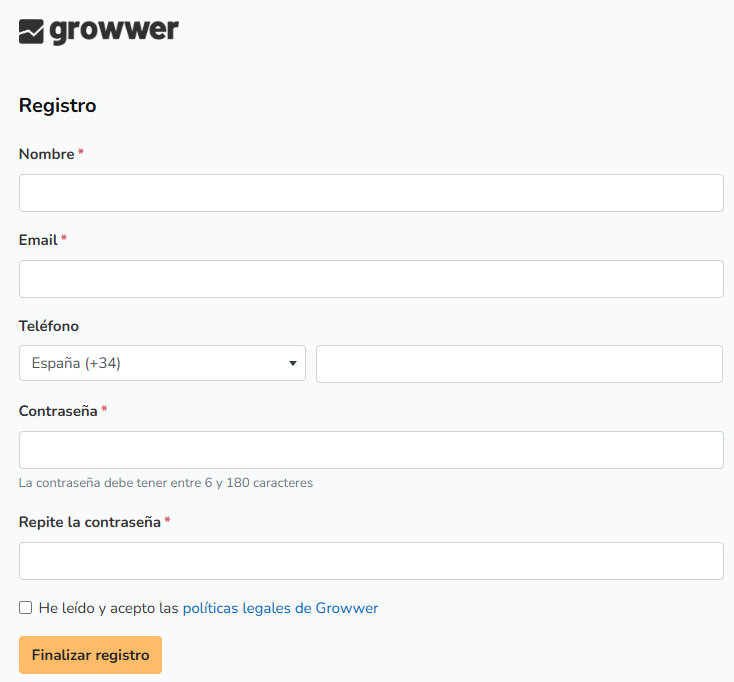
The first thing you need to do to use the tool is create an account.
Creating an account
To create an account, go to "Start now" and a form will appear for you to fill in your details, such as first name, surname, email, password and phone number. You will then receive an email to validate your account. And that's the registration done.
Logging in once you have registered is easier: it will only ask for your email and password.
Inside the tool there are two different dashboards:
– The seller dashboard: This is the one you can use to sell posts if you have a blog.
– And the buyer dashboard: This is where you will register your project or projects.
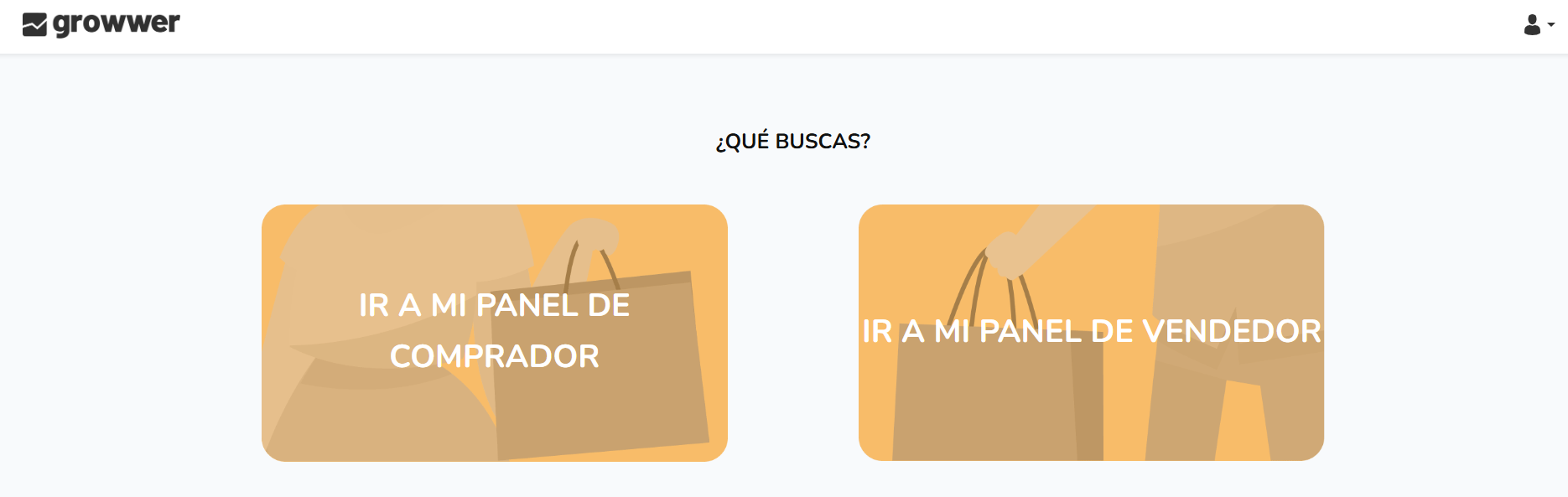
Buyer dashboard, for buying links
We will start by looking at the buyer dashboard:
My Projects
In the buyer dashboard, you need to add your project, filling in its details:
- – Name of the project (it could also be, for example, "summer campaign").
- – URL of your website.
- – Type of business (e-commerce, blog, corporate website...).
- – Topic that best defines your business (fashion, travel, economy, cinema, video games...).
- – Language your media strategy is aimed at.
- – Services you offer: List at least 5 concepts that define your business, for example: SEO, Marketing, SEO Copywriting, Business, Link Building...
- – Configure SEO information: Enter the keywords you want to rank for (maximum 100).
This dashboard will be empty at first, and as you add your projects, a list of all of them will appear.
This information will help Growwer identify the best media for buying links that point to your site.
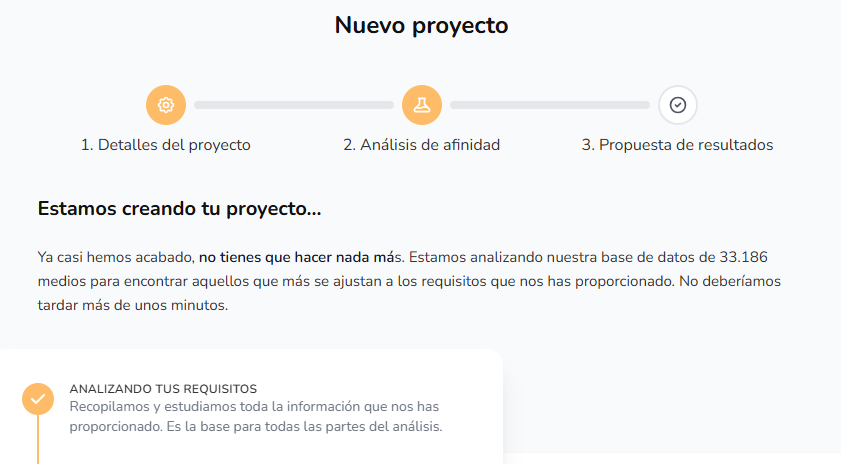
Affinity analysis
In the next step you don't have to do anything, just wait for Growwer's algorithm to analyse its database and find the media that best match the information you have provided:
- Analysing the link profile and the keywords your competitors rank for.
- Analysing search intent and semantic context to better understand your project's needs.
- Filtering relevant media with traffic.
- Preparing a proposal of media and blogs.
Buying quality links on Growwer
Now Growwer's actual interface appears, where you can use its filters to narrow down the ideal media for buying links.
The filters available let you select the type of media (blog, newspaper), type of link (dofollow and nofollow), language, country, topic (babies, motherhood, pets, motorbikes, travel, politics...), affinity, project keywords, related keywords, price...
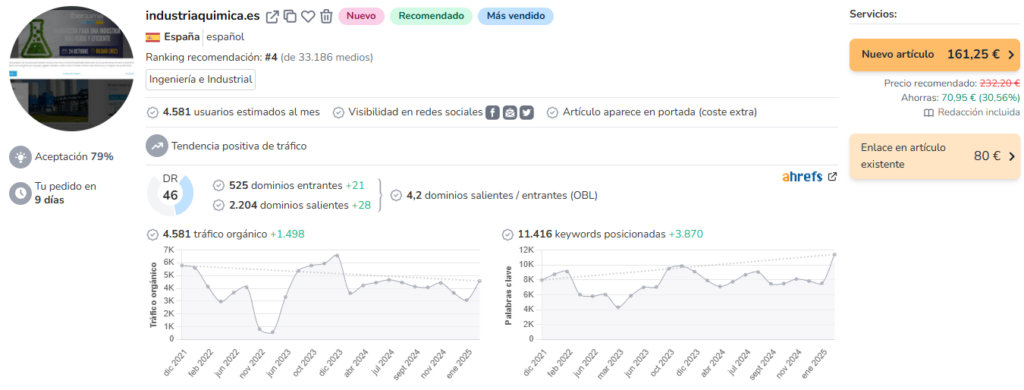
Another option is to insert links into an existing article, as well as the options to appear on the homepage and on social media, as you can see in the image below.
Once you have found an interesting site for your project, there is a favourites option: click on the media and they will be added to your favourites.
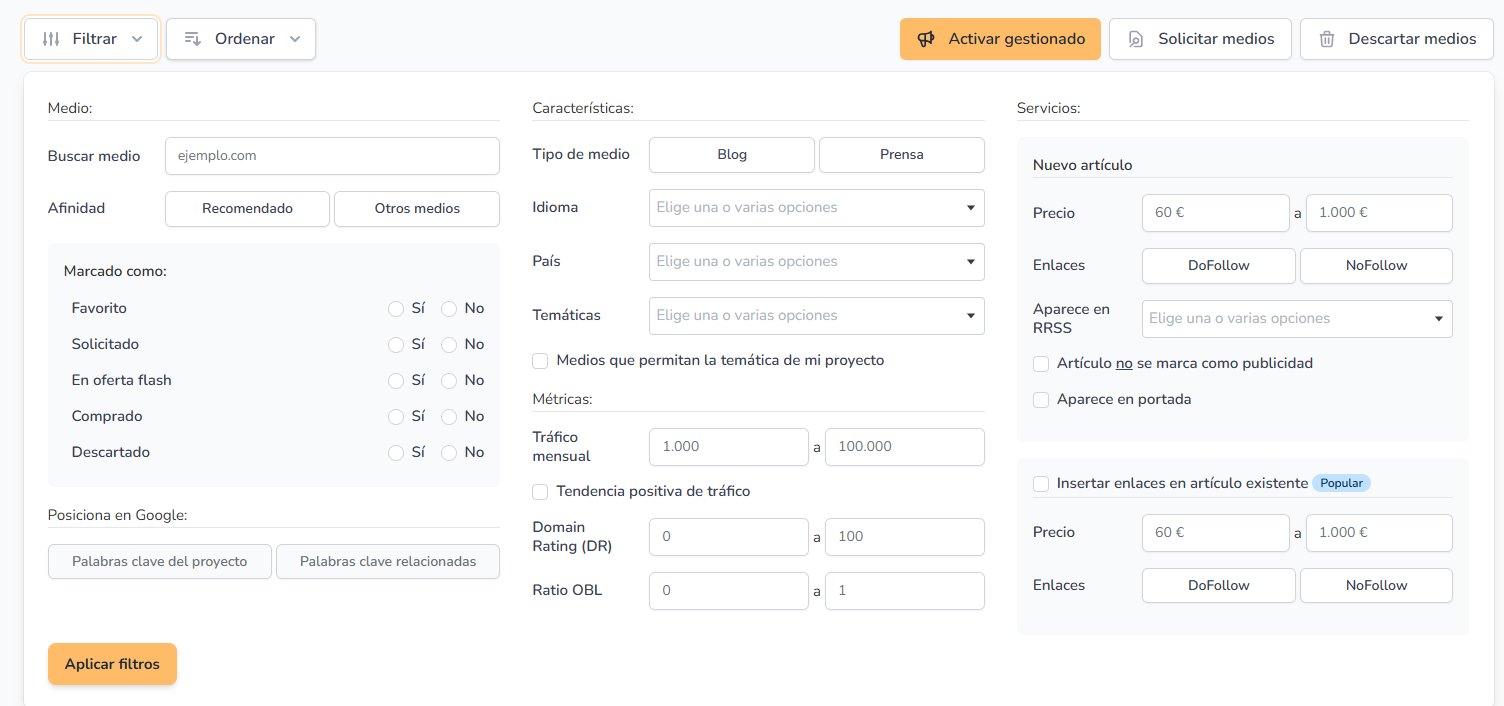
And now, once you have applied the filters, the media available based on your selection will appear for your link building campaign.
Each site also offers metrics such as:
- Visits: The estimated number of users per month.
- Organic traffic: Positive traffic trend.
- The number of ranking keywords.
- The DR (Ahrefs), or domain authority, shows the strength of a website's link profile (from 1 to 100, with 100 being the highest score).
- OBL (outbound links): this metric reflects the number of outgoing links.
As well as the article conditions (they include copywriting if you prefer, and the number of days the site takes to publish...)
Topping up your balance
And finally, to complete the order it is time to set up the payment method (credit card or PayPal) and top up your balance so you can buy the links. A "buyer wallet" appears with your balance and history so you can download your invoices.
Managed service
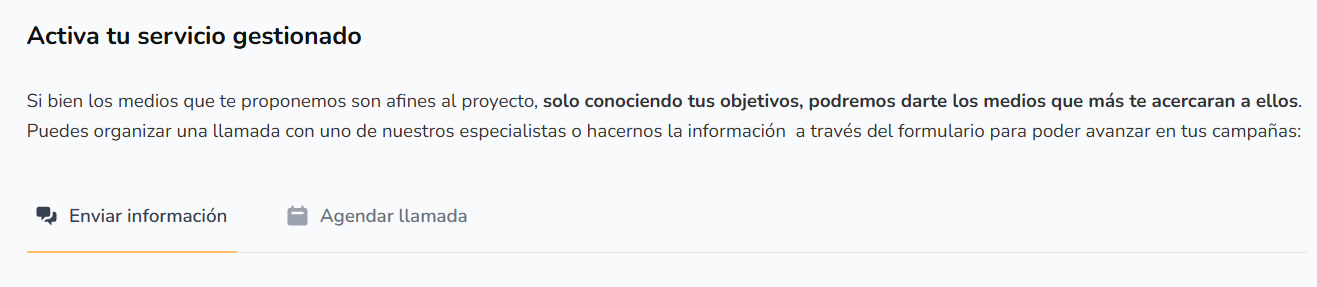
As well as using all of Growwer's features yourself, you can also delegate the whole strategy, as they offer a managed service that you can request. Either by sending information through the form on the website itself, or by booking a call with one of their specialists, whichever is more convenient for you.
For a minimum investment of €500, they analyse and select the ideal media for your project to achieve your goals.
You will receive the media proposal by email for your approval, and they manage the orders through to publication.
Advantages of the managed service
This service offers the advantage of being carried out by an SEO specialist, so if you don't know much about link building it is the best option you can choose. They will create a personalised media campaign for your project, manage the orders, and you can make any changes you see fit (up to 3 changes to the proposal).
Affiliate dashboard
If you want to earn money with Growwer's affiliate programme, share your affiliate link and get a 12% commission on the first top-up of referred users.
You can promote your affiliate link, for example, by sharing it on your blog or social media, or by sending it to your newsletter subscribers, etc.
Commissions are deposited in your Growwer buyer wallet, alongside your available balance, for you to use on future purchases.

Chrome extension
Growwer offers a Chrome extension, "Growwer Toolkit", to make your work easier and let you see whether you can publish on a site directly while you browse the search results.
As well as in the SERPs, it also works in Ahrefs, SEMrush, Majestic, Sistrix...
Seller dashboard: for selling articles
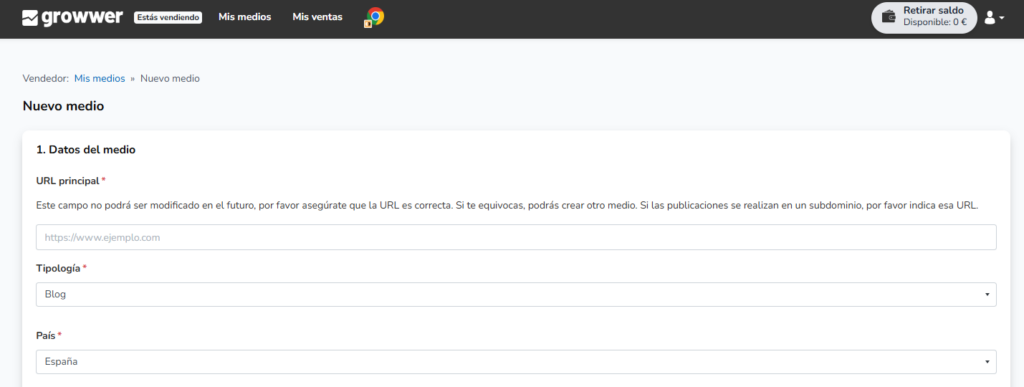
The other option Growwer offers is selling articles on your blogs to generate extra income. A form appears for you to add the site or sites on which you want to sell links:
1- First you need to add the site details: main URL, type of site, country, language, topic (you can include several) and prohibited topics (state whether you do not allow content on any sensitive topic, such as casinos, sports betting, etc.).
2- Then the price, type and number of links allowed.
3- And finally the post characteristics: word count, whether you allow links to be inserted into articles already published, whether the article will be shared on social media, etc.
Growwer reviews
Finally, we can conclude that Growwer is a good link building tool. It is easy to use and offers practical features such as its Chrome extension and its recommendation algorithm.
It has good reviews from customers who agree on the effectiveness of its quality media campaigns.
And they have recently carried out a link building study with analysis and opinions from SEO experts, which you can download. In it you will find out: which types of links are the most requested? In which sectors is link building most commonly integrated? And much more.
If we had to mention a drawback, some of the media it offers are very expensive.
Growwer alternatives
There are many other excellent link building platforms, such as Getalink, Prensarank, Publisuites, Linkatomic...
They also offer quality media so that your link building campaigns are effective.
So compare prices and decide for yourself.